

In today’s digital-first education landscape, running a tutoring business is no longer just about delivering quality education; managing operations seamlessly is equally important. Whether you are an independent tutor, a growing coaching institute, or an edtech startup, managing schedules, student communication, billing, and performance tracking manually can quickly become overwhelming and inefficient.
So, how do successful tutoring businesses stay efficient while scaling?
This is where tutor management software plays a transformative role.
Tutor Management Software centralizes and automates core business operations. It helps tutoring providers improve efficiency, enhance student experience, and scale sustainably. However, like any technology investment, it comes with both advantages and trade-offs.
In this in-depth blog, we break down the pros and cons of using Tutor Management Software, along with practical insights, real-world scenarios, and strategic considerations to help you evaluate whether it is the right fit for your business goals.
Table of Contents
- What is Tutor Management Software?
- The Growing Demand for Tutor Management Software
- Pros of Using Tutor Management Software
- Cons of Using Tutor Management Software
- Use Cases: When Tutor Management Software Makes Sense
- How to Choose the Right Tutor Management Software?
- Where Modern Solutions Like Yo!Coach Fit In
- Why Businesses are Moving Toward Advanced Software
- Balancing the Pros and Cons
- Conclusion
- FAQs
What is Tutor Management Software?
Tutor Management Software is a comprehensive platform built to simplify and organize the daily operations of a tutoring business. Instead of juggling multiple tools, it brings everything together, including:
- Student and tutor management
- Class scheduling and calendar automation
- Online teaching tools
- Payment processing and invoicing
- Reporting and analytics
- Communication systems
By centralizing these functions into a single dashboard, it eliminates inefficiencies and helps tutoring providers operate more smoothly and professionally.
The Growing Demand for Tutor Management Software
The global tutoring industry has rapidly evolved with the rise of digital and hybrid learning. Students now expect convenience, flexibility, instant access, and seamless online experiences. At the same time, competition among tutoring providers has increased significantly.
Key drivers behind adoption include:
- Rise of online tutoring platforms
- Increased demand for personalized learning
- Need for operational efficiency
- Expansion into global markets
- Growing reliance on data-driven decision-making
As a result, tutor management software is no longer just a convenience; it has become a critical tool for scaling operations, improving student experience, and sustaining long-term growth.
Meet Modern Learning Needs with a Robust Tutoring Management Software
Pros of Using Tutor Management Software
Adopting tutor management software can significantly improve how a tutoring business operates on a day-to-day basis. From reducing manual workload to enhancing student experience, it brings structure, efficiency, and scalability.
Below are the key advantages that make it a valuable investment:
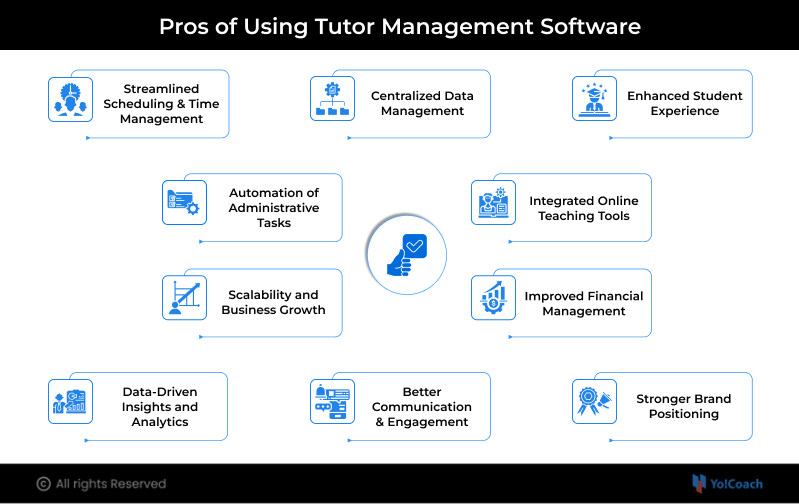
1. Streamlined Scheduling and Time Management
Scheduling is one of the most complex aspects of running a tutoring business. Managing multiple tutors, student availability, and time zones manually often leads to errors and inefficiencies.
Tutor Management Software simplifies scheduling by:
- Allowing students to book sessions online
- Syncing tutor availability in real time
- Preventing double bookings
- Supporting recurring sessions
- Sending automated reminders
Example: A tutoring company with 50+ tutors can reduce scheduling conflicts by over 80% using automated systems.
2. Centralized Data Management
Managing student records, session history, and tutor performance manually can quickly become unorganized and difficult to track.
With centralized data management, you get:
- A single source of truth for all records
- Easy access to student profiles and history
- Better tracking of learning progress
- Secure storage of sensitive information
This leads to improved efficiency and more-informed decision-making.
3. Enhanced Student Experience
In a competitive tutoring market, delivering a smooth and convenient experience is essential.
Tutor Management Software enhances the student journey by offering:
- Simple booking interfaces
- Instant confirmations
- Easy rescheduling options
- Access to session history and materials
- Progress tracking dashboards
Result: Higher student satisfaction, better retention, and increased referrals.
4. Automation of Administrative Tasks
Administrative work, such as invoicing, attendance tracking, and communication, can take up a significant amount of time.
Automation helps by:
- Generating invoices automatically
- Sending payment reminders
- Tracking attendance without manual input
- Push notifications for upcoming sessions
This allows tutors to focus more on teaching rather than repetitive administrative tasks.
5. Integrated Online Teaching Tools
Modern tutor management software often includes built-in virtual classroom features such as:
- Video conferencing
- Interactive whiteboards
- Screen sharing
- File sharing
- Session recording
This eliminates the need for multiple third-party tools and ensures a seamless teaching and learning environment.
6. Scalability and Business Growth
As your tutoring business grows, manual processes become a bottleneck and slow you down.
Tutor Management Software enables scalability by:
- Supporting large numbers of students and tutors
- Enabling expansion into new markets
- Offering multi-language and multi-currency support
- Allowing new course launches easily
Use Case: An edtech startup can scale from 100 to 10,000 users without major operational disruptions.
7. Improved Financial Management
Managing finances manually can lead to delays, errors, and a lack of transparency.
With Tutor Management Software, you can:
- Automate billing and invoicing
- Accept payments through multiple gateways
- Manage subscriptions and packages
- Generate financial reports
This ensures better cash flow management and financial transparency.
8. Data-Driven Insights and Analytics
Data plays a key role in improving both learning outcomes and business performance.
Advanced platforms provide insights such as:
- Student performance trends
- Tutor efficiency metrics
- Revenue analysis
- Course demand insights
These insights help businesses make smarter decisions, optimize their offerings, and improve outcomes.
9. Better Communication and Engagement
Clear and consistent communication improves both learning outcomes and customer satisfaction.
Features typically include:
- In-app messaging
- Email and SMS notifications
- Session reminders
- Feedback and review systems
This keeps students, tutors, and administrators well-connected and aligned.
10. Stronger Brand Positioning
A professional and well-structured platform enhances credibility and trust.
Benefits include:
- Modern and intuitive interface
- Organized operations
- Consistent communication
- Professional workflows
This helps attract new students and retain existing ones more effectively.
Turn These Advantages into Your Tutoring Platform’s Strength
Cons of Using Tutor Management Software
While tutor management software offers significant advantages, it is equally important to understand its limitations before making a decision. Being aware of these shortcomings helps businesses plan better, avoid common pitfalls, and choose a solution that aligns with their operational and long-term goals.
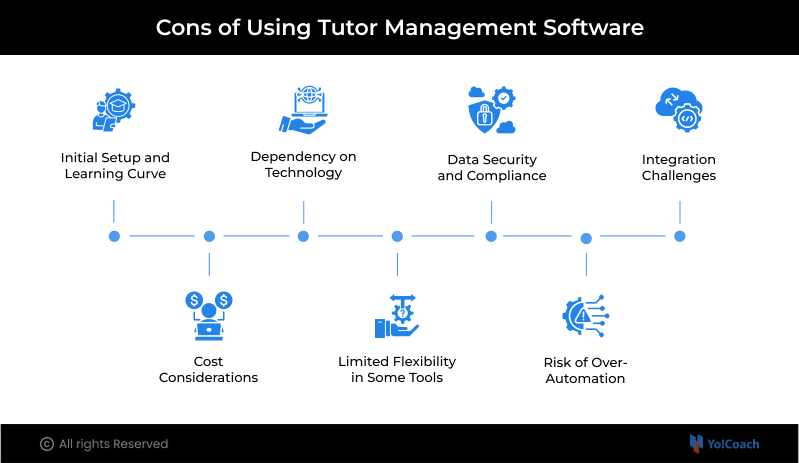
1. Initial Setup and Learning Curve
Adopting new software involves an initial learning phase that requires time, effort, and proper onboarding for smooth implementation.
Challenges include:
- Training tutors and staff
- Configuring workflows
- Migrating existing data
However, most modern softwares provide onboarding support, tutorials, and assistance to make the transition smoother and more manageable.
2. Cost Considerations
Investing in tutor management software can involve multiple costs, which may feel significant, especially for small or early-stage tutoring businesses.
Costs may include:
- Setup charges
- Customization costs if any specific features needed
While the upfront investment may seem high, the long-term return in terms of efficiency, automation, and scalability often outweighs the initial expense.
3. Dependency on Technology
Reliance on software means your operations become dependent on technology, which can occasionally lead to disruptions if not managed properly:
- Internet dependency
- Risk of downtime
- Technical glitches
Choosing a reliable software with strong uptime, performance, and support is essential to minimize such risks.
4. Limited Flexibility in Some Tools
Not all solutions offer the flexibility required to support unique workflows or evolving business needs.
Common issues include:
- Fixed processes
- Limited integrations
- Lack of advanced features
This highlights the importance of choosing a scalable and customizable solution that can adapt as your business grows.
5. Data Security and Compliance
Managing student and tutor data comes with responsibility, as sensitive information must be protected against breaches and misuse.
Handling sensitive student data requires:
- Secure infrastructure
- Compliance with data protection regulations
- Regular monitoring
Ensuring the platform follows industry-standard security practices is critical for maintaining trust and compliance.
6. Risk of Over-Automation
While automation improves efficiency, over-reliance on it can reduce the personal connection that is essential in education.
To avoid this:
- Maintain human interaction
- Personalize communication
- Use automation strategically
Balancing automation with a human touch helps preserve engagement and learning quality.
7. Integration Challenges
Existing tools like CRM, accounting, or marketing software may not always integrate easily, especially if compatibility is limited.
This can require:
- Additional setup
- API integrations
- Workflow adjustments
Carefully evaluating integration capabilities beforehand can help ensure a smoother and more connected system environment.
Use Cases: When Tutor Management Software Makes Sense
As your tutoring business grows, operational challenges often become more complex and harder to manage manually. Whether it is handling more students, coordinating multiple tutors, or expanding into new markets, the need for structured systems becomes evident.
The following scenarios highlight when investing in tutor management software becomes essential:
Scenario 1: Independent Tutor Scaling Up
An individual tutor managing 20-30 students starts experiencing scheduling conflicts, missed sessions, and payment delays. Adopting software helps automate bookings and payments, reducing administrative burden and allowing more focus on delivering quality teaching.
Scenario 2: Coaching Institute Expansion
A coaching institute with multiple tutors oftem face coordination challenges, miscommunication, and inefficient scheduling. Leveraging a centralized system helps streamline operations, improve internal communication, and ensure smoother management across students, tutors, and sessions.
Scenario 3: EdTech Startup Launching a Marketplace
An edtech startup aiming to connect multiple tutors with students globally requires more than basic tools. A robust platform enables marketplace functionality, payments, and virtual classrooms, making it easier to scale and operate efficiently.
Expand Your Business Efficiently with a Scalable Tutoring Software
How to Choose the Right Tutor Management Software?
Choosing the right tutor management software is more than a technical decision; it directly impacts how efficiently you operate, how students experience your services, and how well your business scales over time. With countless options available in the market, selecting the right solution requires a structured evaluation approach rather than a quick comparison.
Below is a detailed framework to help you evaluate and select the right solution for your business:
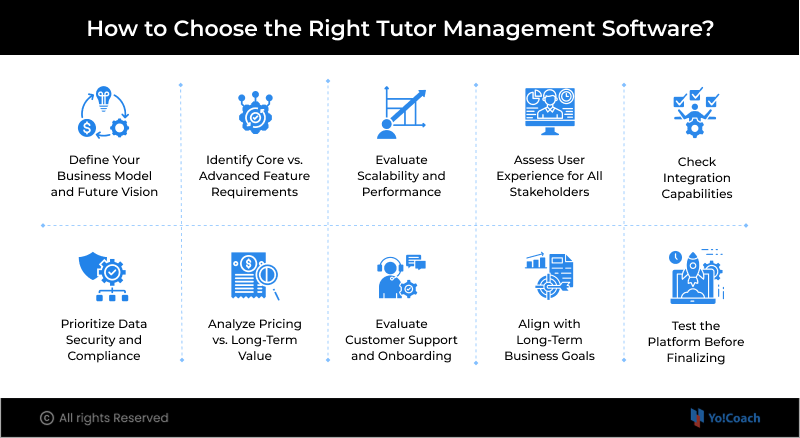
1. Define Your Business Model and Future Vision
Before evaluating any software, clearly define your current business model and future goals. Your needs will vary depending on whether you are an independent tutor, a coaching institute, or planning to build a marketplace.
Ask yourself:
- Are you an independent tutor offering one-on-one sessions?
- Do you run a coaching institute with multiple tutors?
- Are you building an online tutoring platform?
- Do you plan to create a multi-tutor marketplace?
Each model has different requirements. So clarity at this stage prevents costly mismatches later.
Pro Tip: Always choose software that supports your future business model, not just your current needs.
2. Identify Core vs. Advanced Feature Requirements
Not all tutor management software solutions offer the same depth of features. You need to distinguish between essential features and advanced capabilities.
Core Features (Must-Have):
- Scheduling and calendar management
- Student and tutor profiles
- Payment processing and invoicing
- Notifications and communication tools
Advanced Features (Growth-Oriented):
- Built-in virtual classroom (video, whiteboard, recording)
- Multi-language and multi-currency support
- Role-based dashboards and permissions
- Marketplace functionality (if scaling)
- Advanced analytics and reporting
Pro Tip: Prioritize solutions that offer both core and advanced capabilities to avoid switching tools later.
3. Evaluate Scalability and Performance
Your tutoring software should grow alongside your business without performance issues or limitations. A scalable platform ensures you do not outgrow your system as demand increases.
Consider:
- Can the platform handle thousands of users simultaneously?
- Does it support expansion into multiple regions?
- Can you easily add new tutors, courses, or services?
Pro Tip: Always choose a solution that can handle at least 3 to 5 times your current scale.
4. Assess User Experience for All Stakeholders
A smooth and intuitive user experience is critical for adoption and retention. The platform should be easy to use for students, tutors, and administrators alike.
Evaluate the platform from three perspectives:
- Students: Easy booking, smooth payments, clear dashboard
- Tutors: Simple availability management, session handling
- Admins: Efficient reporting, user control, system visibility
Pro Tip: Test the platform from all user roles before finalizing your decision.
5. Check Integration Capabilities
Your tutor management software should integrate seamlessly with the tools you already use. Poor integrations can lead to inefficiencies and additional manual work.
Look for integrations with:
- Payment gateways (Stripe, PayPal, etc.)
- CRM and marketing automation tools
- Accounting and invoicing systems
- Communication tools
Pro Tip: Strong integration capabilities create a connected ecosystem and reduce manual work.
6. Prioritize Data Security and Compliance
Handling student and tutor data requires strict security measures, especially if you operate globally. Security should never be compromised for convenience.
Ensure the platform offers:
- Data encryption (in transit and at rest)
- Secure user authentication
- Compliance with regulations like GDPR
- Regular security updates and backups
Pro Tip: Always verify security standards and compliance certifications before choosing a platform.
7. Analyze Pricing vs. Long-Term Value
While pricing is important, focusing only on upfront costs can be misleading. The real value lies in what the platform enables you to achieve over time.
Evaluate:
- What features are included in the pricing plan
- Whether there are hidden costs (setup, customization, upgrades)
- The return on investment in terms of time saved and efficiency gained
Pro Tip: Invest in value, not just affordability. A better platform often delivers higher long-term returns.
8. Evaluate Customer Support and Onboarding
Even the most advanced software can become difficult to use without proper support. Reliable onboarding and ongoing assistance are essential for smooth adoption.
Look for:
- Dedicated onboarding assistance
- Training materials and documentation
- Responsive customer support
- Regular updates and improvements
Pro Tip: Choose a provider known for strong support to avoid delays and frustration during implementation.
9. Align with Long-Term Business Goals
Think beyond your immediate requirements and evaluate how the platform fits into your long-term strategy. This helps avoid frequent platform changes in the future.
Consider:
- Will you expand internationally?
- Do you plan to launch new courses or services?
- Are you aiming to build a scalable tutoring marketplace?
Pro Tip: Select software that aligns with your 3 to 5-year business roadmap.
10. Test the Platform Before Finalizing
Never rely solely on feature lists or demos. Real-world testing gives you a clearer understanding of usability and performance.
Use:
- Free trials
- Demo sessions
- Pilot implementations
This helps you evaluate usability, performance, and real-world functionality before making a final decision.
Pro Tip: Involve your team during testing to gather practical feedback from different user perspectives.
Where Modern Solutions Like Yo!Coach Fit In
While there are numerous tutor management software solutions available in the market, not all are built to meet the evolving demands of modern tutoring businesses. Many traditional tools are limited to basic administrative functions such as scheduling and invoicing, which may work for small-scale operations but fall short when it comes to scalability, flexibility, and user experience.
This is where advanced software like Yo!Coach comes into the picture.
Rather than functioning as just a tutor management system, Yo!Coach acts as a comprehensive tutoring ecosystem. It enables businesses to launch, manage, and scale fully functional online tutoring platforms, including marketplace-based models. By combining operational efficiency with growth-focused capabilities, it becomes a strong fit for businesses aiming to expand and compete on a global level.
Key Capabilities of Yo!Coach
1. One-on-One and Group Learning Support
Seamlessly manage both individual sessions and group classes, catering to diverse learning formats, enabling you to expand your service offerings without operational complexity.
2. Built-in Virtual Classroom
Integrated tools like video conferencing, whiteboards, and screen sharing eliminate dependency on third-party applications and create a seamless teaching and learning experience.
3. Multi-Tutor Marketplace Functionality
Enable multiple tutors to onboard, create profiles, and offer services, making it ideal for building and scaling tutoring marketplaces with diverse offerings.
4. Secure Payment Integrations
Support global transactions through multiple payment gateways, ensuring smooth, secure, and reliable payments across different regions and currencies.
5. Advanced Reporting and Analytics
Track key metrics such as student performance, tutor efficiency, and revenue trends, helping you make informed decisions and continuously improve your business.
6. Scalable and Customizable Architecture
Designed to grow with your business, supporting increasing users, courses, and geographic expansion without operational limitations.
What truly differentiates Yo!Coach is their ability to go beyond administration and provide a holistic ecosystem that enhances learning experiences while streamlining business operations.
Book a Demo to Explore See Yo!Coach in Action
Why Businesses are Moving Toward Advanced Software
As the tutoring industry becomes more competitive and digitally driven, businesses are shifting toward solutions that offer more than just basic management features.
Modern tutoring businesses now require software that provides:
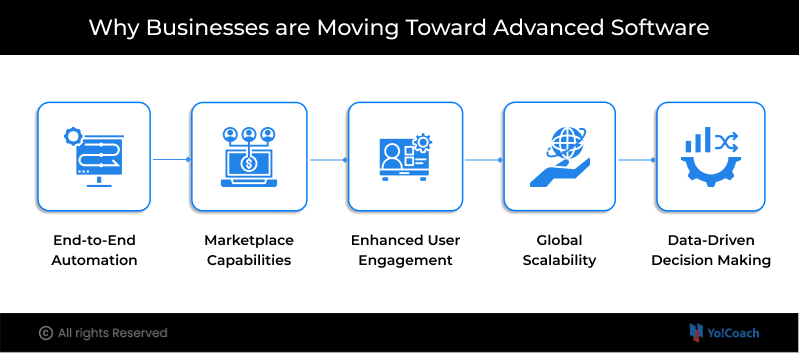
1. End-to-End Automation: From onboarding and scheduling to payments and reporting, automation reduces manual workload, minimizes errors, and improves efficiency, allowing you to focus more on teaching and growth.
2. Marketplace Capabilities: The ability to connect multiple tutors and students on a single platform opens new revenue streams, enabling businesses to scale their offerings more efficiently.
3. Enhanced User Engagement: Features like interactive tools, personalized dashboards, and seamless communication improve student retention.
4. Global Scalability: Multi-language, multi-currency, and timezone support enable businesses to expand beyond local markets and serve a global audience with ease.
5. Data-Driven Decision Making: Advanced analytics provide insights into performance, demand trends, and user behavior, helping businesses make smarter and more strategic decisions.
This shift reflects a broader trend where tutoring businesses are evolving into full-scale digital platforms, rather than just service providers.
Balancing the Pros and Cons
While tutor management software offers significant advantages, its true value lies in how effectively it is implemented. A thoughtful and strategic approach helps businesses maximize benefits while minimizing potential challenges.
Here are some practical tips to strike the right balance:
1. Start with Essential Features: Focus on solving your most immediate operational challenges first, then gradually adopt advanced functionalities as your business grows.
2. Invest in Proper Training and Onboarding: Ensure tutors and staff are comfortable using the platform to avoid resistance and inefficiencies during daily operations.
3. Choose Scalable Solutions: Opt for software that can grow with your business and support future expansion, so you do not have to switch platforms as your needs evolve.
4. Maintain the Human Touch: While automation improves efficiency, personal interaction remains critical for building trust and delivering quality education.
5. Continuously Optimize Usage: Regularly analyze data and workflows to improve performance, user experience, and make better decisions over time.
By balancing technology with personalization, tutoring businesses can achieve both operational excellence and meaningful learning outcomes, setting a strong foundation for long-term success.
Conclusion
Tutor Management Software has reshaped how tutoring businesses operate in today’s digital era. What once required multiple tools and manual effort can now be handled through a single, streamlined system. From scheduling sessions and managing payments to tracking student progress, tutor management software helps improve efficiency and proa vide seamless experience for both tutors and students.
That said, adopting such software comes with certain challenges, such as cost, implementation effort, and reliance on digital infrastructure. Hence, the real value lies in choosing the right platform and implementing it with a clear strategy, ensuring it aligns with your business model and long-term goals.
Modern solutions like Yo!Coach goes a step further by offering more than just management capabilities. With features like integrated virtual classrooms, automation, and marketplace functionality, they enable tutoring businesses to scale, expand, and stay competitive. When implemented thoughtfully, Tutor management software becomes a foundation for building a future-ready and growth-driven education business.
FAQs
Q 1. What is tutor management software used for?
Ans. Tutor Management Software is used to streamline and automate tutoring operations. It manages scheduling, student management, payments, communication, and performance tracking, reducing manual effort and improving overall efficiency for tutoring businesses of all sizes.
Q 2. Is tutor management software suitable for small tutors?
Ans. Yes, it is highly beneficial for small tutors as it saves time and improves organization, and reduces administrative workload. However, it is important to choose a cost-effective solution that fits your current scale while still allowing room for future growth.
Q 3. Can tutor management software support online classes?
Ans. Yes, most modern software supports built-in virtual classroom features. These typically include video conferencing, whiteboards, and file sharing, enabling tutors to deliver seamless and engaging online learning experiences.
Q 4. How does tutor management software improve efficiency?
Ans. Tutor management software improves efficiency by automating repetitive tasks like scheduling, invoicing, and minimizing errors. It streamlines workflows and allows tutors and admin/s to focus more on teaching and business growth.
Q 5. What makes advanced platforms different from basic tools?
Ans. Advanced platforms go beyond basic management by offering scalability, integrated learning tools, analytics, and marketplace capabilities. They are designed to support growing tutoring businesses, enabling expansion into new markets while delivering a more comprehensive and professional user experience.
Upgrade Your Tutoring Business with a Software Built for Growth
Get Started